
Animated Checkbox (On-Off Button with icons)
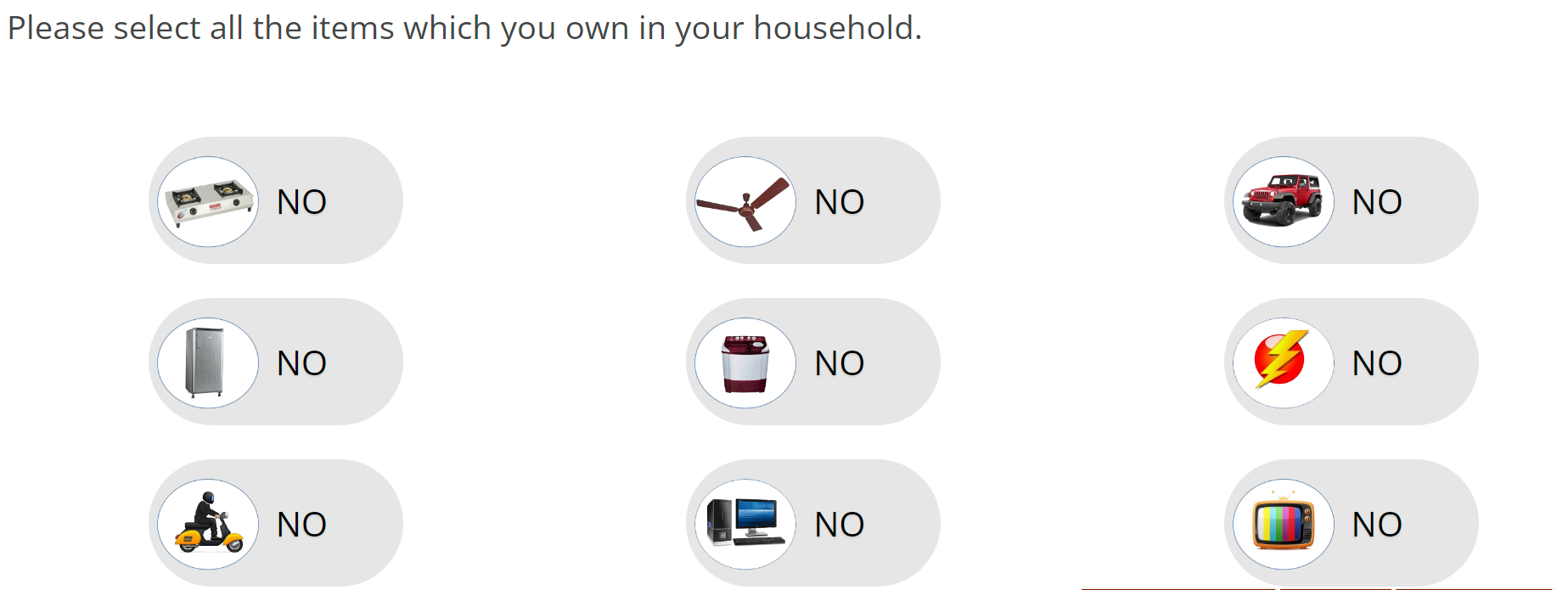
For this setup, just copy the below question and replace the text in "alt" attribute by row text and the text between row tag (ending and starting) should contain the path of the round images to be shown in the animated icons.
  <checkbox
   label="q2"
   atleast="1"
   fir="off"
   shuffle="rows">
    <title>Please select all the items which you own in your household.</title>
    <row label="r1" alt="Electricity">/survey/selfserve/560/200209/ONSlide1.png</row>
    <row label="r2" alt="Ceiling fan">/survey/selfserve/560/200209/ONSlide2.png</row>
    <row label="r3" alt="Stove">/survey/selfserve/560/200209/ONSlide3.png</row>
    <row label="r4" alt="Two wheeler">/survey/selfserve/560/200209/ONSlide4.png</row>
    <row label="r5" alt="Television">/survey/selfserve/560/200209/ONSlide5.png</row>
    <row label="r6" alt="Fridge">/survey/selfserve/560/200209/ONSlide6.png</row>
    <row label="r7" alt="Washing">/survey/selfserve/560/200209/ONSlide7.png</row>
    <row label="r8" alt="Computer">/survey/selfserve/560/200209/ONSlide8.png</row>
    <row label="r9" alt="Four wheeler">/survey/selfserve/560/200209/ONSlide9.png</row>
    <style name="question.after"><![CDATA[
<div class="ketool-stage" id="ketool-stage-${this.label}"></div>
<style type="text/css">

.on{
		    background-color: #0ec1c3 !important;

}


.handle:before {
    content: "NO";
    font-size: 20px;
    font-weight: 400;
    color: #000;
    text-shadow: 0 1px 1px rgba(0, 0, 0, 0.1);
    position: absolute;
        left: 70px;
	top: 15px;
}
.handle:after {
    content: "YES";
    font-size: 20px;
    font-weight: 400;
    color: #FFF;
    text-shadow: 0 1px 1px rgba(0, 0, 0, 0.1);
    position: absolute;
    left: -54px;
	top: 15px;
}


	.icon{    left: 200px;
	border-radius: 70px;
    background-color: #e6e6e6;
	width: 150px;
    height: 75px;
    margin-right: 20px;
    overflow: hidden;
	transition: all .25s linear;
    cursor: pointer;
	FLOAT: left;
	margin-top: 20px;
	margin-right: 8%;
    margin-left: 8%;

	}
	.handle{
		position: relative;
		    width: 60px;
    height: 55px;
    border-radius: 70px;

    top: 10px;
	   /* background: #FFF; */
		font-size: 12px;
    color: #D8DAD9;
    line-height: 26px;
    text-align: center;
    left: 5px;
	}
	.glypgicon{
			position: relative;
    top: 1px;
    display: inline-block;
    font-family: 'Glyphicons Halflings';
    font-style: normal;
    font-weight: normal;
    line-height: 1;
    -webkit-font-smoothing: antialiased;


	}

	img.imgs {
    max-width: 60px;
}
div#q_text {
    text-align: center;
    color: #454545;
    font-size: 1.5rem;
    font-family: Arial,sans-serif;
    margin-bottom: .333em;
    line-height: normal;
}

.answers {
  display: none;
}


   </style>

<script>
jQuery(document).ready(function(){
var qn = ${jsexport()}; //returns json object of the question

var customcontainer = jQuery("#ketool-stage-${this.label}")

jQuery("#question_" + qn.label + " div.element").each(function(){

	var idstring = jQuery(this).find("input.input.checkbox").attr("id")
	var imgSrc = jQuery(this).find(".cell-text label").text()
	var Datid = idstring.replace(/[.]/g, "_");
	console.log(Datid)
	console.log(imgSrc)
	customcontainer.append("<div class='icon' data-value='0' data-id='"+ Datid + "'><div class='handle'><div class='glypgicon'><img class='imgs' src='" + imgSrc + "' /></div></div></div>")


	if (jQuery(this).find("input.input.checkbox").is(":checked")){


	    jQuery("[data-id="+Datid+"]").find(".handle").animate({left:'85px'});
		jQuery("[data-id="+Datid+"]").addClass("on");
		jQuery("[data-id="+Datid+"]").find(".handle").animate({left:'58px'});
		jQuery("[data-id="+Datid+"]").find(".handle").animate({left:'85px'});
		jQuery("[data-id="+Datid+"]").attr('data-value',1);

	}

})


		jQuery(".icon").click(function(){
		var data=parseInt(jQuery(this).attr('data-value'));
		var Inputid=String(jQuery(this).attr('data-id'));


		var c_resp_id= String(Inputid.replace(/[_]/g, "."));

		if(data==0)
		{

		jQuery("label[for='"+c_resp_id+"']").click();
		jQuery(this).find(".handle").animate({left:'85px'});
		jQuery(this).addClass("on");
		jQuery(this).find(".handle").animate({left:'58px'});
		jQuery(this).find(".handle").animate({left:'85px'});
		jQuery(this).attr('data-value',1);
		}
		else{
		jQuery("label[for='"+c_resp_id+"']").click();
		jQuery(this).find(".handle").animate({left:'5px'});
		jQuery(this).removeClass("on");
		jQuery(this).find(".handle").animate({left:'13px'});
		jQuery(this).find(".handle").animate({left:'5px'});
		jQuery(this).attr('data-value',0);
        }
});


});

</script>
]]></style>
  </checkbox>