
Video Heart Selection
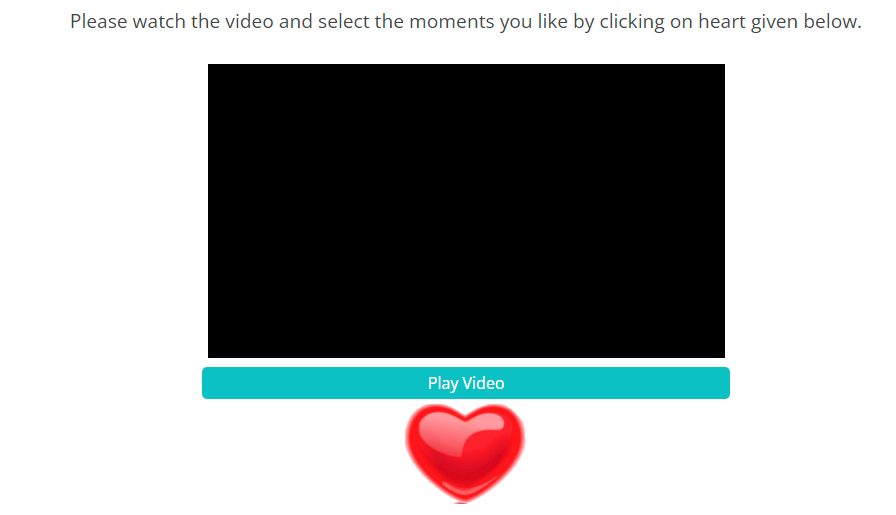
For this setup, implement the video file url in the below src attribute and update the video_length (in seconds) using the line below (search the same in the question code below and update there).
<th colspan="2"><video id="myVideo" height="300px" style="max-width: 98%;"><source src="https://surveylink.in/addVideo/demo.mp4" type="video/mp4" width="100%"></video></th>

var video_length=37;
Update the rows (for each second or a pre-determined interval) for rating as rows, so in the below example the video is 37 second long, so we have 37 rows here for selecting the favorite part of the video.
   <checkbox
   label="MX11"
   atleast="1">
    <title><center>
<div id="ques_form">Please watch the video and select the moments you like by clicking on heart given below.</div>
<br />
<table align="center" class="v_table">
<tbody>
<tr>
<th><video id="myVideo" height="300px" style="max-width: 98%;"><source src="https://surveylink.in/addVideo/demo.mp4" type="video/mp4" width="100%"></video></th>
</tr>
<tr>
<td style="padding-bottom: 5px;">
<div class="btn_p p1">Play Video</div>
<div class="btn_p p2">Pause Video</div>
</td>
</tr>
<tr>
<td align="center" class="hert_con"><img src="https://au.focusvision.com/survey/selfserve/560/200209/heart_icon.png" class="hert" /></td>
</tr>
</tbody>
</table>
<input type="hidden" id="last_click"></center></title>
    <row label="r1">sec1</row>
    <row label="r2">sec2</row>
    <row label="r3">sec3</row>
    <row label="r4">sec4</row>
    <row label="r5">sec5</row>
    <row label="r6">sec6</row>
    <row label="r7">sec7</row>
    <row label="r8">sec8</row>
    <row label="r9">sec9</row>
    <row label="r10">sec10</row>
    <row label="r11">sec11</row>
    <row label="r12">sec12</row>
    <row label="r13">sec13</row>
    <row label="r14">sec14</row>
    <row label="r15">sec15</row>
    <row label="r16">sec16</row>
    <row label="r17">sec17</row>
    <row label="r18">sec18</row>
    <row label="r19">sec19</row>
    <row label="r20">sec20</row>
    <row label="r21">sec21</row>
    <row label="r22">sec22</row>
    <row label="r23">sec23</row>
    <row label="r24">sec24</row>
    <row label="r25">sec25</row>
    <row label="r26">sec26</row>
    <row label="r27">sec27</row>
    <row label="r28">sec28</row>
    <row label="r29">sec29</row>
    <row label="r30">sec30</row>
    <row label="r31">sec31</row>
    <row label="r32">sec32</row>
    <row label="r33">sec33</row>
    <row label="r34">sec34</row>
    <row label="r35">sec35</row>
    <row label="r36">sec36</row>
    <row label="r37">sec37</row>
    <style name="question.after"><![CDATA[
<style type="text/css">
	.hert
	{
		height: 100px;  transition-duration: 0.5s;
    cursor: pointer;
	}
		.btn_p {
    background: #0ec1c3;
    color: white;
    text-align: center;

    padding: 5px;
    margin: 0 auto;
    border-radius: 5px;
    font-size: 16px;
    cursor: pointer;
}
.btn_p.p2 {
    display: none;
}
img.hert:active {
    transform: scale(0.7);
}
}

div#next_button {
    display: none;
}
.hh
{
	/*background: url("[%GraphicsPath()%]heart_biet.gif");
	background-size:100%;*/
}

.answers {
    display: none;
}
</style>
]]></style>
    <style name="question.after" wrap="ready"><![CDATA[
var qn = ${jsexport()}; //returns json object of the question
    console.log(qn) //loads question variables into a console tool

var rsp_id=qn.uid;
var vid = document.getElementById("myVideo");

jQuery(".p1").click(function(){
  vid.play();
  jQuery(".p1").hide()
  jQuery(".p2").show()
});

jQuery(".p2").click(function(){
  vid.pause();
    jQuery(".p2").hide()
  jQuery(".p1").show()
});

	var video_length=37;
setInterval(function(){

var vid = document.getElementById("myVideo");
var ct=Math.round(vid.currentTime);


jQuery("#last_click").val(ct);
if(ct==video_length)
{
	jQuery("#next_button").css("display","inline");
}
},1000);

jQuery(".hert").click(function(){
	var c_val=jQuery("#last_click").val();
	c_val=parseInt(c_val);
	c_val--;

	jQuery("label[for='ans"+rsp_id+".0."+c_val+"']").click();

	jQuery(".hert_con").addClass("hh");

	setTimeout(function(){
	jQuery(".hert_con").removeClass("hh");
},1000);

});
]]></style>
  </checkbox>

  <suspend/>